One platform under
every application.
ERP, CRM, HR, and Helpdesk are not integrated products. They are apps on the Trivena Framework, sharing one data model, one permission system, and one set of APIs.
One platform · AI-first · Managed on Trivena Cloud
Why the foundation matters
Suites usually mean several products bolted together with connectors. Every connector is a place where data drifts, permissions diverge, and reporting stops being trustworthy.
Trivena avoids that shape entirely. There is one platform, and the applications are installed on it. A customer record is not synchronized between CRM and ERP. It is the same record, seen from two places.
What the platform provides.
One data model
Customers, items, employees, and tickets are records on the same platform, referenced by each app rather than copied between them.
Roles & permissions
Fine-grained access control down to the row and field level, applied identically in the UI, the API, and AI.
Workflows & approvals
State machines and approval chains you configure rather than code, covering purchase approvals, leave requests, and deal stages.
Desk admin UI
A complete admin interface generated from your data model, with list views, filters, and forms for every record type.
REST & RPC APIs
Every record type is reachable over HTTP with filtering, pagination, and the same permissions as the UI.
Background jobs
Scheduled tasks and async processing for imports, reports, notifications, and long-running work.
Multi-company & multi-site
Run several legal entities in one Site, and many isolated tenant Sites on one deployment.
Custom fields & low-code
Add fields, forms, print formats, and reports from Desk, with no fork, no rebuild, and no developer required.
Notifications & email
Email, in-app notifications, and print formats driven by the same documents your team already works on.
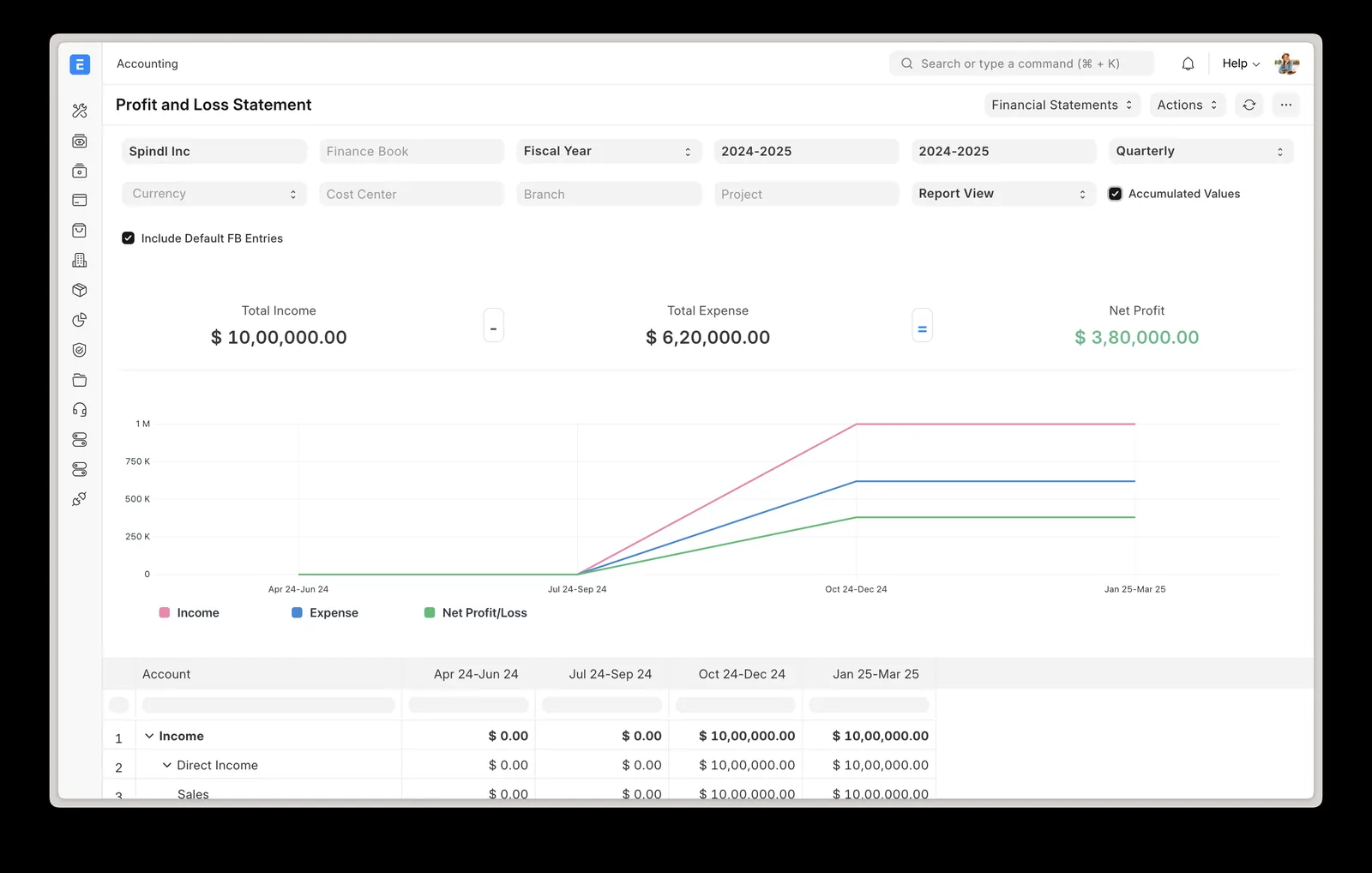
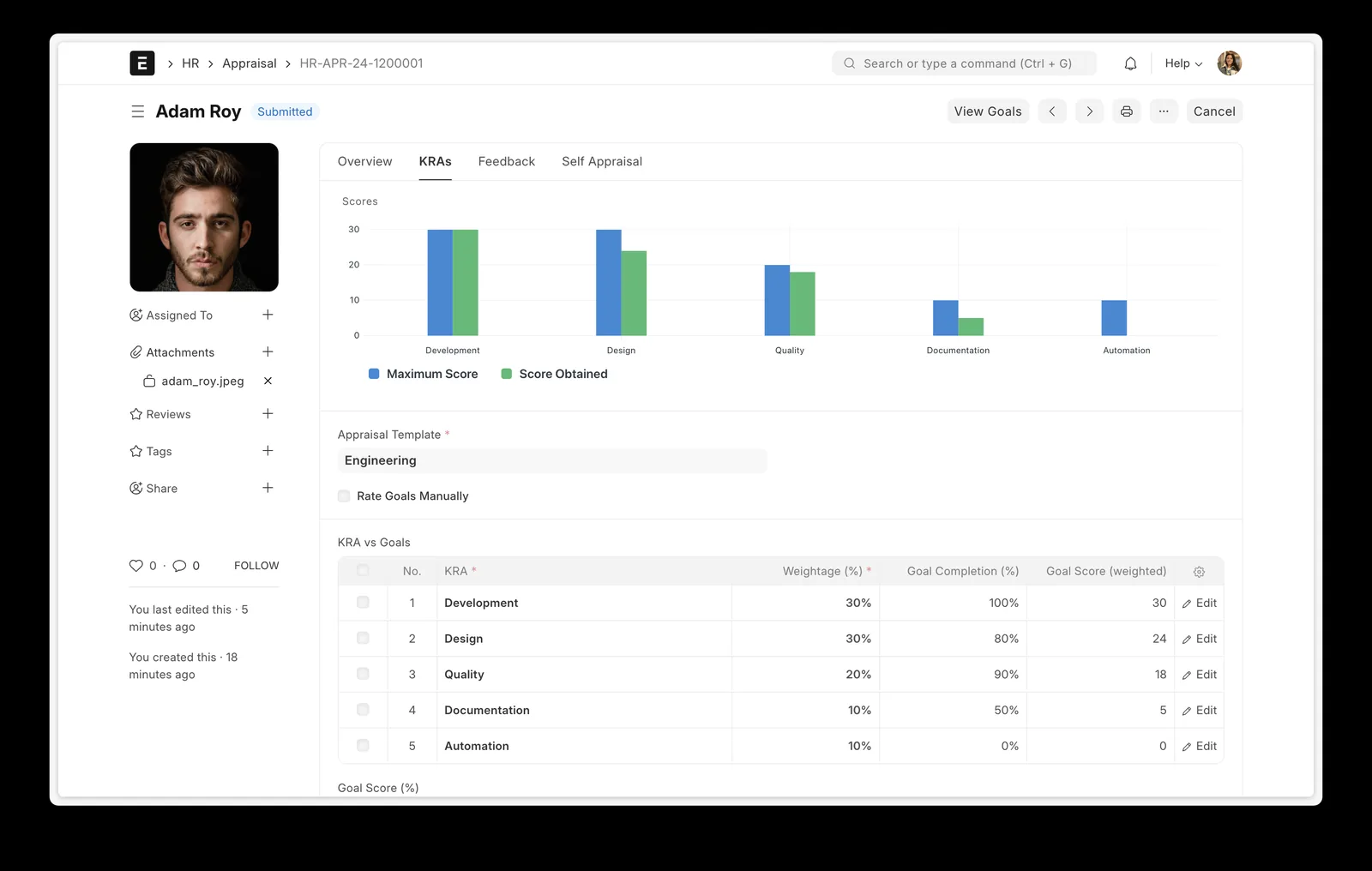
One admin interface, every record type.
Desk is generated from the data model, so a record in ERP and a record in HR get the same list views, filters, forms, and permissions. These two screens come from different applications.
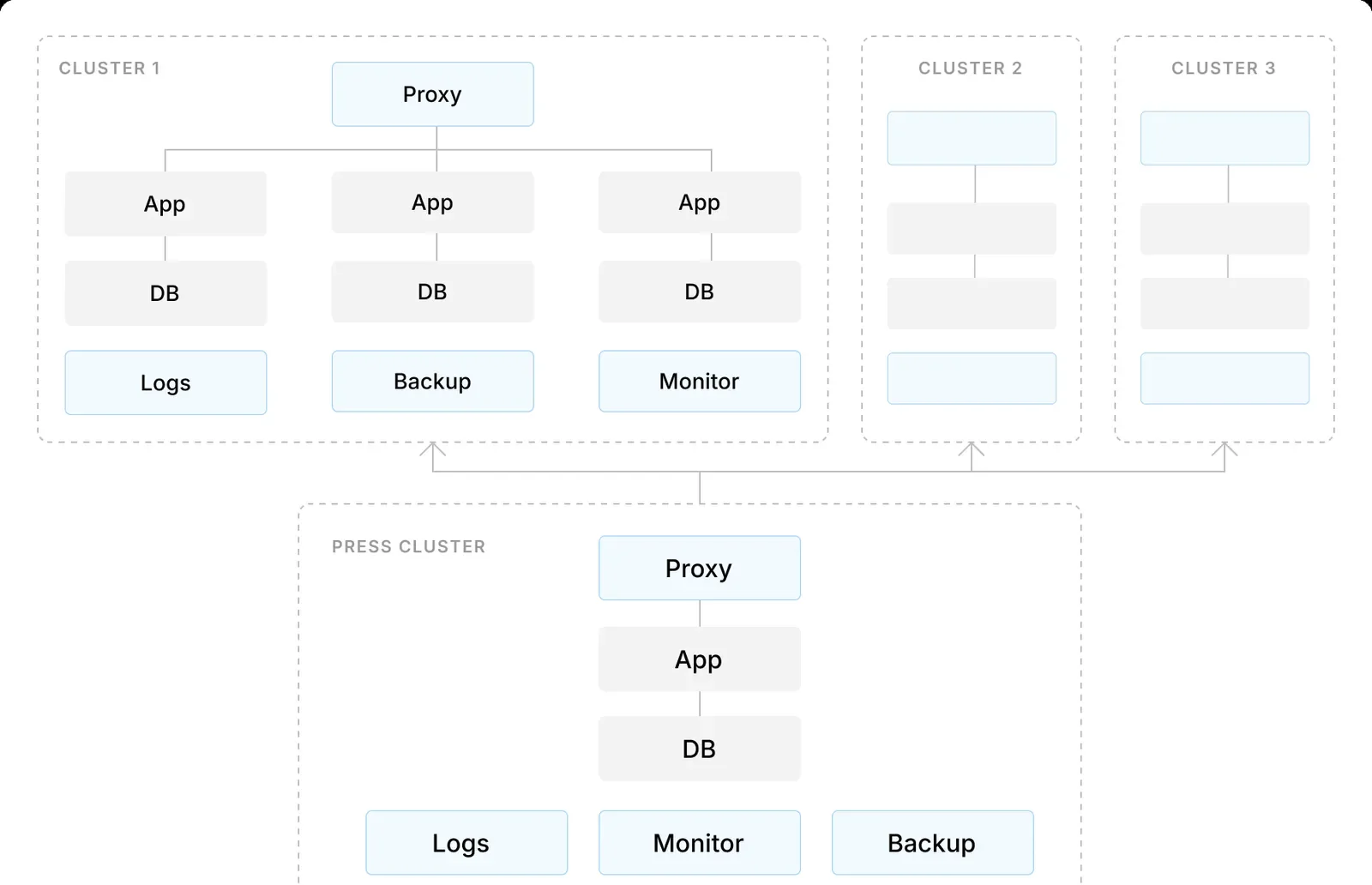
Many isolated tenants, one deployment.
Each customer Site resolves to its own database before any business logic runs. Clusters of proxy, application, and database nodes are operated by Trivena Cloud.
How the platform is designed.
These are the properties we build on, and the reason the apps behave consistently as you add more of them.
- Tenant isolation
- Each customer gets their own Site with its own database and data. Isolation is a property of the architecture, not a setting.
- Permissions everywhere
- The permission system is enforced once, at the platform level. The UI, the REST API, background jobs, and Trivena AI all read the same rules.
- Documents over hidden state
- Business events are records: a stock movement, an approval, a payment. That makes history reviewable instead of inferred.
- Configure before you code
- Custom fields, workflows, and reports are configuration. Writing code is the escape hatch, not the entry fee.
- Extensible by app
- New functionality ships as an installable app that inherits identity, permissions, and the shared data model automatically.
Common questions.
It is the foundation every Trivena product runs on: the data model, the Desk admin UI, permissions, workflows, forms, reports, background jobs, and the multi-site architecture. ERP, CRM, HR, and Helpdesk are apps installed on top of it.
No. The apps are built for operators. The platform matters when you want to customize deeply, integrate other systems, or build your own app, and then it is there in full.
Yes. Custom fields, forms, print formats, workflows, and reports are configured in Desk. Deeper changes are packaged as your own app, which keeps you on the maintained upgrade path.
Trivena Cloud is the managed hosting for platform Sites. Cloud runs the proxy, app servers, database, backups, updates, and monitoring so you never operate the platform yourself.
No. Trivena AI runs through the same permission system as any user. It cannot read or surface records the requesting user is not allowed to see.
Every record type is available over REST, plus RPC methods for actions beyond create, read, update, and delete. Webhooks and scheduled jobs cover event-driven work.
Run your company on Trivena.
Request access, or talk to us about what you're building. We'll help you find the right starting point.
Or email cloud@tynktech.nl